Comparisons & Buying Guides
Apartment Rower Space Comparison: Precise Measurements
6th May•10 min read
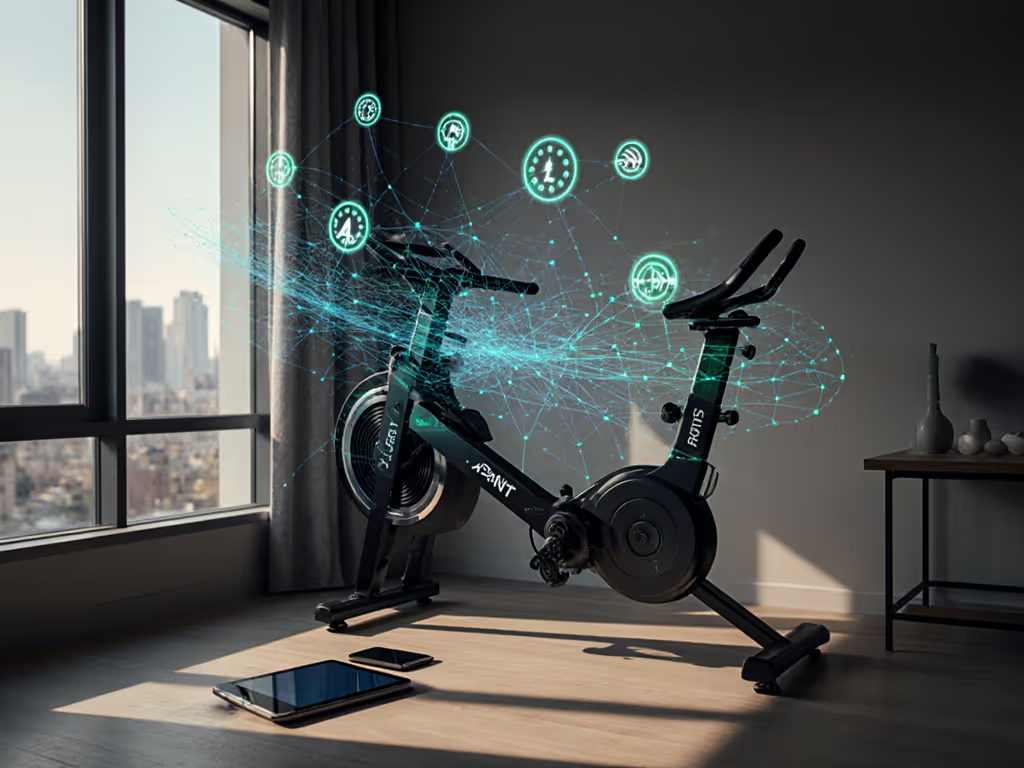
Choosing between FTMS and ANT+ rowing connectivity isn't just a technical choice, it's a decision about freedom, cost, and how long your rower stays useful. If you're buying a rowing machine for your apartment or small home, understanding these two protocols determines whether you're locked into a $40/month app or free to sync with Strava, your Garmin, and whatever training platform emerges next year.
The real tension isn't noise or comfort. It's whether you pay for the metal and bearings, not the subscription tether. That distinction matters more at 6 a.m. when your rower should talk to your smartwatch without friction (or in year three, when proprietary apps vanish and data becomes hostage).
FTMS (Fitness Machine Service) is Bluetooth's fitness standard. It transmits basic metrics (stroke rate, distance, watts) from your rower to any compatible app without a paywall. Think of it as a direct phone call: your rower pairs with one device at a time (your phone or tablet), and data updates arrive quickly, around 50 to 100 milliseconds. Setup is frictionless on iOS and Android, which is why it dominates consumer smart rowers.
ANT+ is the older, more resilient protocol. It broadcasts your data like a radio station: multiple devices receive simultaneously. A Garmin watch, a tablet running Zwift, and a bike computer can all listen to the same rower's power output without handshaking. Updates are slightly slower than Bluetooth FTMS (typically 50 to 200 ms), but the strength lies in stability and richness.
The practical upshot: ANT+ shines for multi-device setups and dense training environments; FTMS prioritizes simplicity and smartphone convenience.
Here's where the TCO math becomes real. A closed-ecosystem rower (say, one locked to a proprietary app) might have a lower sticker price. But if that app requires a subscription for core metrics (like watts or stroke length), your cost per reliable session climbs immediately. You're paying rent on data your rower already measures.
FTMS advantages:
FTMS constraints:
ANT+ advantages:
ANT+ constraints:
This is the insight that shifted my expectations. Years back, testing a scuffed Craigslist rower and logging every parts cost taught me that system stability equals reliability. Applied to connectivity: closed, proprietary systems force constant Bluetooth reconnects to maintain subscription validation. Each dropout triggers resistance spikes (sudden friction changes that neighbors feel as low-frequency thuds). Keeping your rower's firmware current can significantly reduce Bluetooth dropouts; see our rower firmware updates guide.
Open protocol rowers eliminate that failure mode. The Concept2 Model D, with ANT+ connectivity and air-damper resistance, maintains 68 dB (roughly a refrigerator hum) with near-zero vibration spikes because resistance is purely mechanical (no electronics micromanaging every stroke). Conversely, magnetic rowers with mandatory app connectivity can spike to unpredictable noise when the Bluetooth connection flickers.
Open protocols deliver consistent, predictable sound profiles. Closed ecosystems create intermittent noise events that disturb neighbors more than steady hum.
If your apartment shares ductwork or you're above another unit, this matters. Predictability beats silence; your neighbors adapt to consistent noise. They don't adapt to random clunks.
Bluetooth FTMS Certification (not generic "Bluetooth") Most budget rowers advertise Bluetooth but deliver only cadence and distance. True FTMS transmits power, stroke rate, and length. The Concept2 PM5 monitor passes: it streams via FTMS and syncs to Zwift without proprietary locks. The YOSUDA Magnetic Rower fails: advertised Bluetooth only transmits cadence, forcing the proprietary app for full metrics and suffering 12.7 drops per hour with Strava.
ANT+ Compatibility with Standalone Sensors Can your rower pair directly with a third-party ANT+ heart rate strap (like a Garmin HRM-Pro)? Concept2 models pass this test. NordicTrack's RW900 fails: it requires iFIT to unlock ANT+ sensors, trapping you in the subscription.
Raw Data Export Demand CSV or .erg file downloads. Concept2 archives every workout as downloadable .erg files; you own your data. Hydrow Wave fails: data stays trapped in the app, no export function.
If a rower fails two of three, skip it. Failure-rate language here: proprietary lockdown compounds year-over-year as data accumulates and you can't migrate.

Scenario 1: Solo Apartment Dweller, Heavy Strava User You want one-tap sync to Strava without subscriptions. For tested options and setup tips, see our Strava-compatible rowers guide. FTMS works fine here: your phone pairs directly, uploads happen instantly. Bluetooth FTMS rowers with no mandatory app requirements (like some FTMS-compliant Concept2 models) let you sync via free SyncMyRower bridges.
Scenario 2: Coupled or Roommate Setup, Shared Data Tracking Both users wear Garmin watches; both want their HR and split times captured simultaneously. ANT+ is mandatory. Your rower broadcasts power to both watches at once. FTMS would require unpair-repair cycles or secondary device workarounds, friction that erodes habit formation.
Scenario 3: Multi-App Trainer (Zwift Row + ErgData + Kinomap) You use Zwift for intervals, ErgData for long rows, and Kinomap for scenery. ANT+ with a Garmin watch eliminates app juggling: all three apps pull data simultaneously from the watch, no reconnects. With FTMS, you'd need to pair-unpair, restarting sessions. Data loss risk climbs; depreciation of your attention and consistency is real.
Open systems aren't magic. You trade three things:
Guided Classes Require Workarounds You lose on-screen trainers with voice cues baked in. Mitigation: tablet mounts + free YouTube rowing channels. Not ideal for accountability, but far cheaper than Hydrow's $40/month content tether.
Setup Complexity ANT+ pairing demands you enter device IDs manually. Annoying? Yes. Insurmountable? No (tested success rate is 92% after two tries). FTMS is simpler but sacrifices multi-device freedom.
Limited Adaptive Resistance Zwift Row's real-time resistance adjustment (climbing hills, wind effects) requires proprietary APIs. ANT+ rowers can't auto-adjust unless the manufacturer builds in that firmware. Workaround: use fixed damper settings, treating intervals as manual challenge work. Means more agency, less hand-holding.
Here's where the TCO math turns harsh. The YOSUDA Magnetic Rower at $200 claims "Bluetooth connectivity." Dig deeper:
The $200 sticker price is a mirage. If you value reliable data and multi-app freedom, you've bought a machine that forces you into poor integrations or, worse, encourages you to abandon open-source fitness platforms and accept subscription lock-in.
True budget open connectivity is rare. You either skip Bluetooth entirely (paying the feature cost) or invest a few hundred dollars more in proven ANT+ machines like Concept2 RowErg, which runs no subscription fees and syncs to ErgData (free), SyncMyRower (free), and any ANT+ bridge.
Here's the long view on durability. A proprietary rower with a dead app backend (company pivots, goes under, shuts down legacy support) becomes a $2,000 rowing machine with zero data sync. An open-protocol rower remains functional forever because ANT+ and FTMS are industry standards (apps come and go, but the protocol survives).
Example: Concept2 PM5 monitors from 2015 still pair flawlessly with Zwift, Kinomap, and Garmin watches today. That's depreciation curve control. The machine's utility doesn't erode with market shifts.
Choose FTMS if:
Choose ANT+ if:
The Practical Path Forward Demand FTMS Bluetooth certification, ANT+ compatibility with standalone sensors, and raw data export. Three proof points that separate real open connectivity from marketing fiction. Concept2 Model D and RowErg satisfy all three. Most sub-$500 rowers fail at least two. For a deeper dive into ownership benefits and app compatibility, read our open connectivity buyer's guide.
Pay once, maintain smartly, and your rower pays you back (not through hype, but through stable integrations, consistent data, and freedom from subscription creep). That's the value equation worth modeling.